MTS Security & Electrical Solutions
Builders' orders file themselves, and every booking lands on the calendar.
Electrical and security contractor, Melbourne · Live since September 2026
Builders email a purchase order, sometimes six months before the job starts, then send the booking dates later in separate emails, one for each stage of the work.
Every order was printed and filed by hand, then pulled out and filed again when the booking came in. Between office days, emails sat unread.
How it works
The real system. Addresses, builders, people, order numbers and amounts are swapped for made-up ones.
01
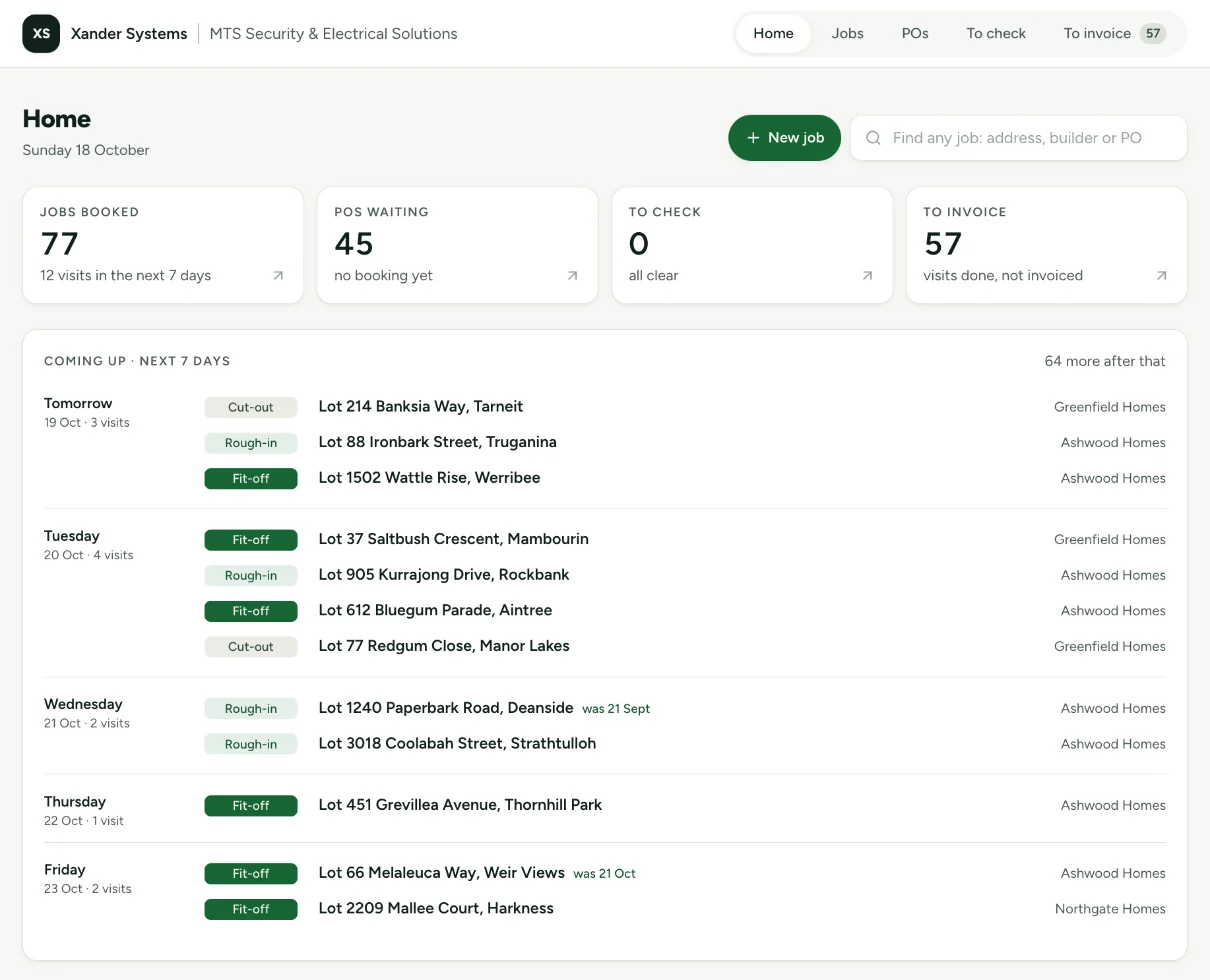
The week ahead, on one screen
Every visit coming up, its stage and its builder, straight from the builders' emails. Nobody typed any of it in.
02
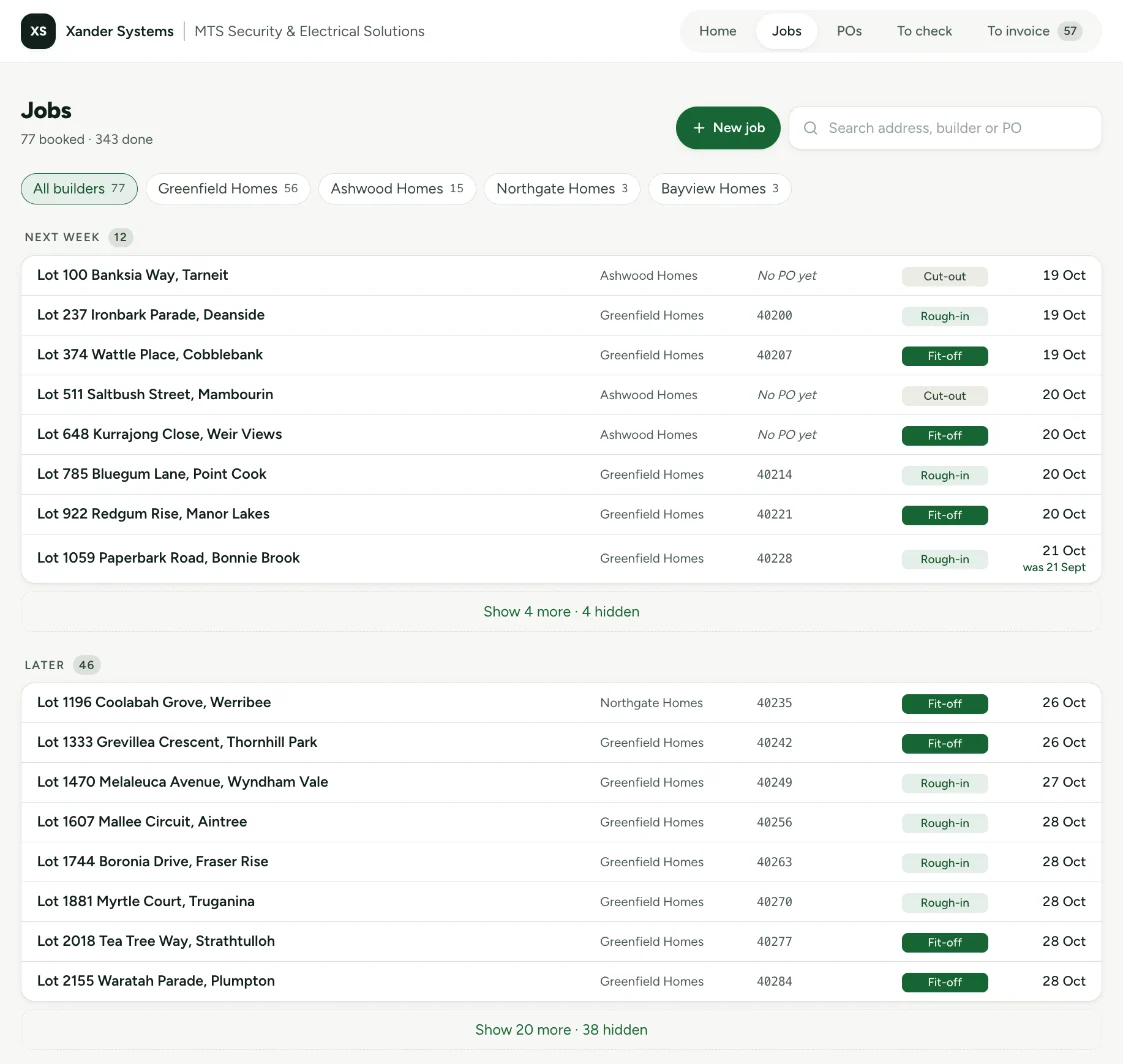
Every order becomes a job
When a builder's order arrives it is read, filed in Dropbox and put on the job list. Search by address, builder or order number from any phone.
03
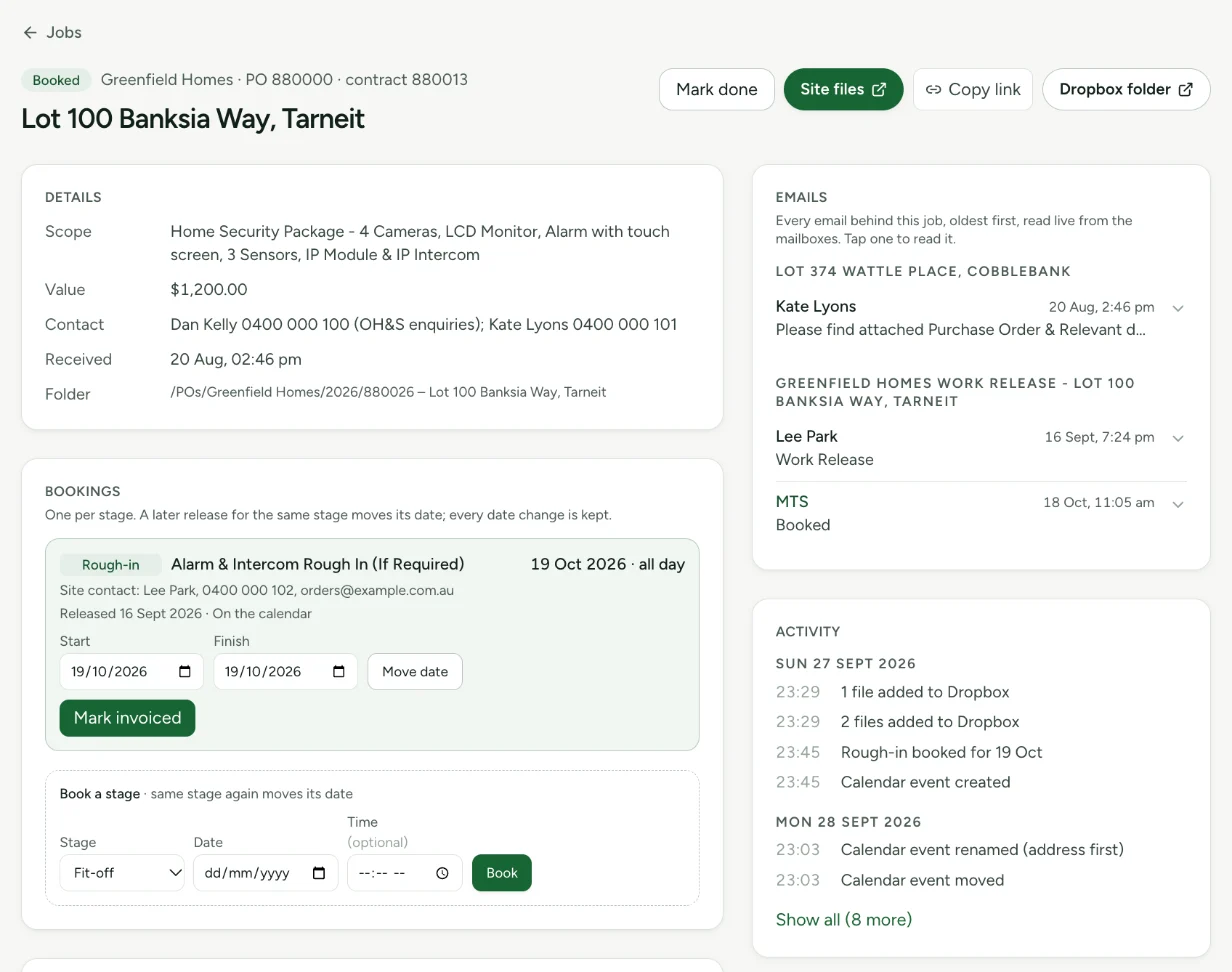
Everything about a job, in one place
The order, each stage's booking, the site contact, the files and every email behind it. When the builder moves a date, the calendar moves with it and the old date is kept. Anything the system isn't sure about waits on a short list for a person to check.
04
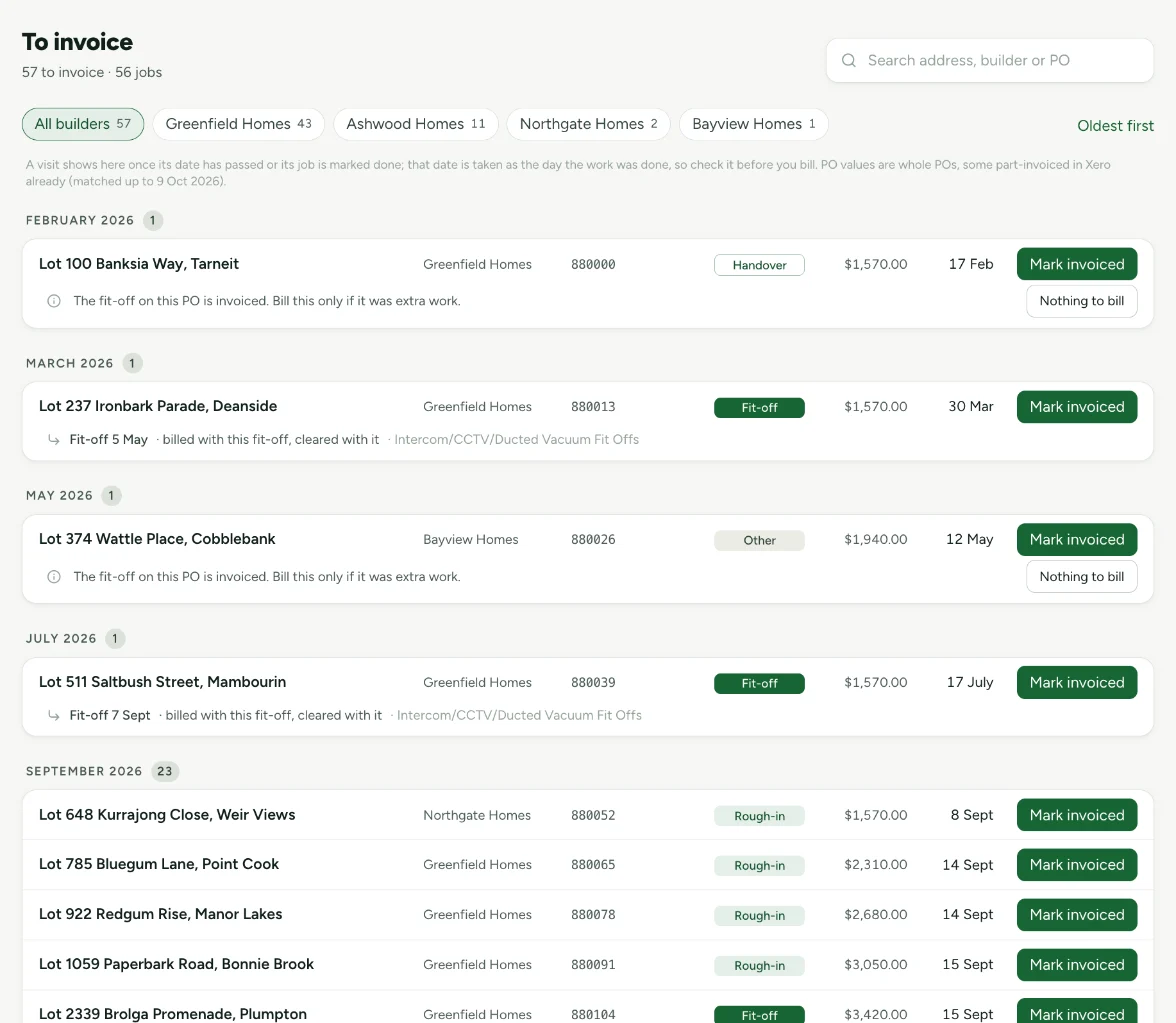
Nothing done goes unbilled
Once a visit's date has passed it waits here until it's invoiced, checked against the invoices already in the accounts.
What changed
- Admin hours a week
- 8about 1
- Booking email to calendar
- Next office dayautomatic
- Finding an order
- A walk to the filing cabinet, office days onlyunder ten seconds, from any phone
- Emails that need no human step
- over 85%
- Estimated first-year saving
- $29,000
What it works with
Outlook, Dropbox, the shared calendar and the accounts they already use. The builders change nothing.
Something like this in your business?
Thirty minutes on a call. We'll tell you what's worth fixing first, and whether we're the right people to do it.
Book a 30-minute consult